If you are unable to sign in to your Okta account, please see the steps below to unlock your account or reset your MassMutual password.
Unlock your account
- From a MassMutual sign-in page (such as your Okta Landing Page), select Need help signing in?
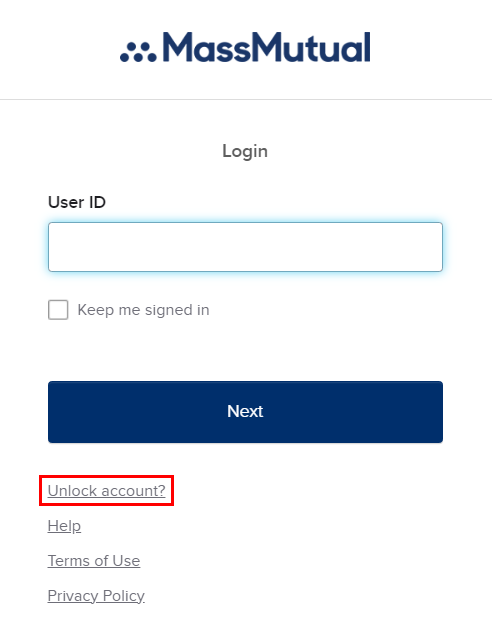
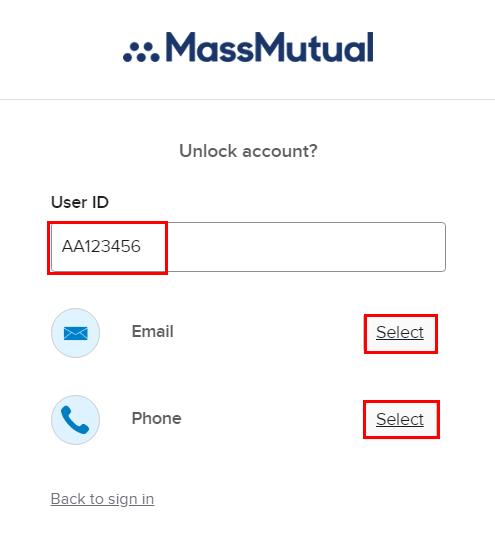
- Enter your AA#/AE# in the User ID Field and select from the list of verification options:
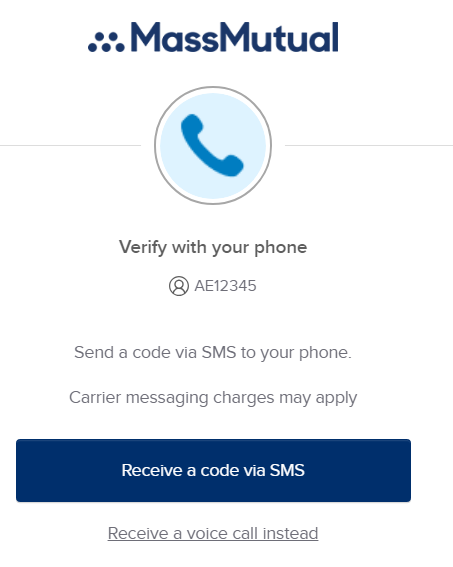
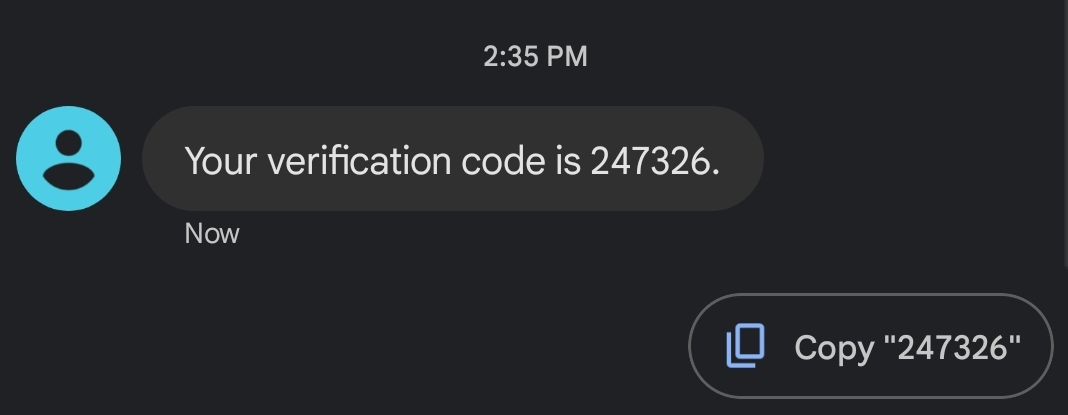
- Follow the steps to verify your identity, such as receiving a text message code
- Enter the answer to the security question and select Unlock Account.
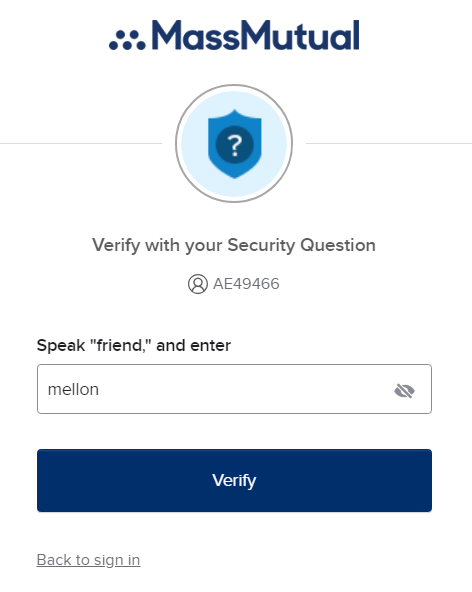
- After unlocking account, please try and sign in with your AA/AE# and last known password. If this fails or you do not remember, please proceed to the steps below to reset your MassMutual password.
If you do not receive a verification code, or do not recall the answer to your security question, please contact Home Office Enterprise Technology Services at 800-767-1000 extension 44357.
Reset your password
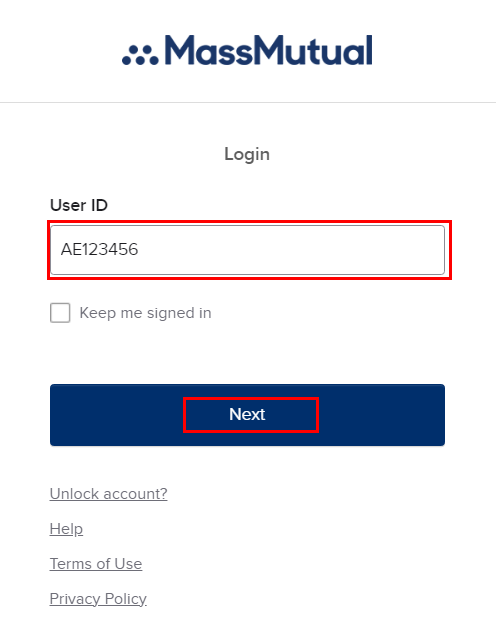
- From a MassMutual sign-in page (such as your Okta Landing Page), enter your MassMutual ID (AA#/AE#) and select Next.
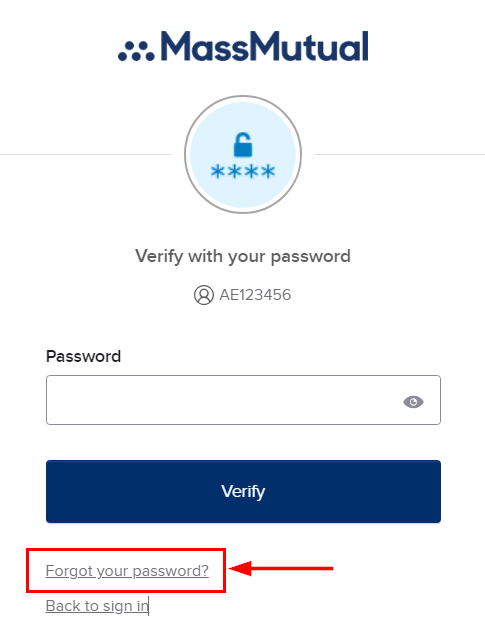
- On the next page, select Forgot your password?
- Select from the list of verification options
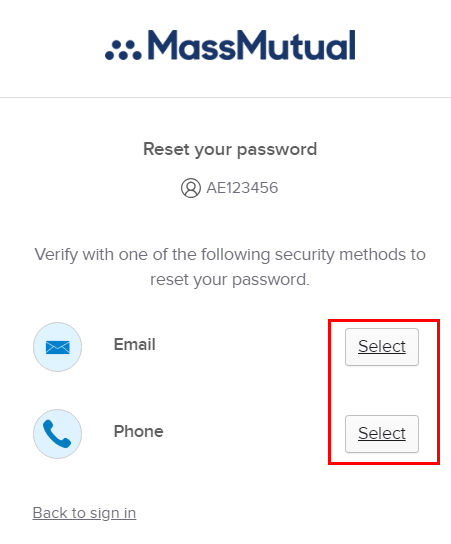
- Follow the steps to verify your identity, such as receiving a text message code
- Enter the answer to the security question and select Unlock Account.
- Enter a new password that meets the requires and select Reset Password.
Note that there are some hidden requirements to increase password complexity, such as no number sequences (123456), no common phrases or names, etc.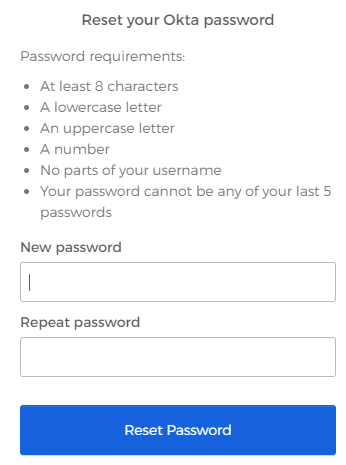
If you do not receive a verification code, or do not recall the answer to your security question, please contact Home Office Enterprise Services at 800-767-1000 extension 44357.
Was this article helpful?
That’s Great!
Thank you for your feedback
Sorry! We couldn't be helpful
Thank you for your feedback
Feedback sent
We appreciate your effort and will try to fix the article