If the MassMutual O365 mailbox in your iPhone/iPad appears blank, you may need to sign back in. This can occur after a password change or after an iOS update/configuration change.
Please see steps below to sign back in:
- Open your iOS device's Settings app
- Scroll down to the bottom and select Apps
- Locate and select the Mail app
- Select Mail Accounts
- Tap on the MassMutual O365 account listed
- Select Re-Enter Password and follow the steps to sign in with your MassMutual ID (AA/AE#) and Password
Click image below to expand: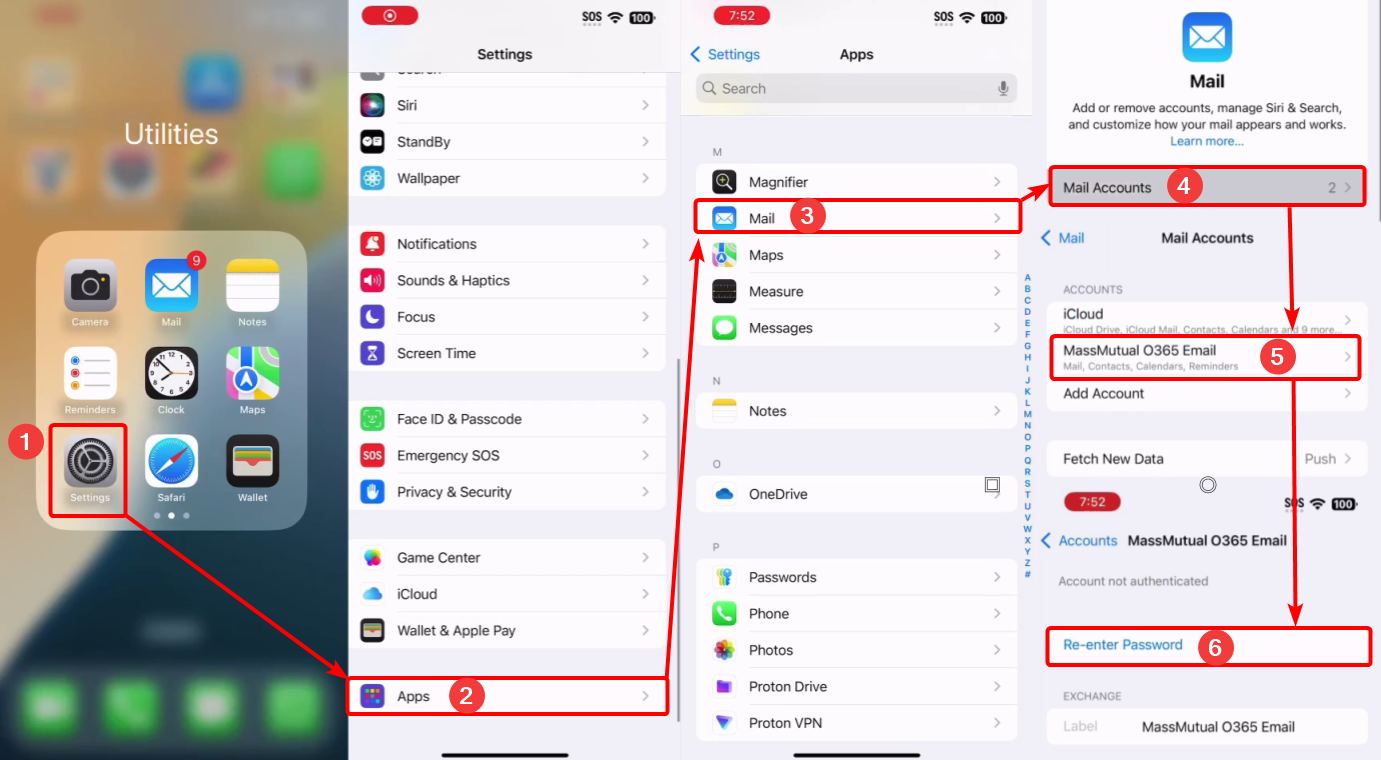
Was this article helpful?
That’s Great!
Thank you for your feedback
Sorry! We couldn't be helpful
Thank you for your feedback
Feedback sent
We appreciate your effort and will try to fix the article