Please see the steps below to set up your voicemail greeting on the Zoom Phone system.
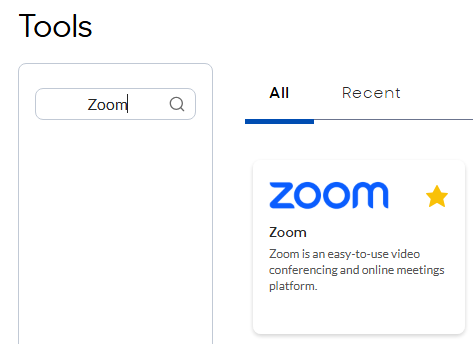
- Access the Zoom Web Portal via Compass Tool Selector
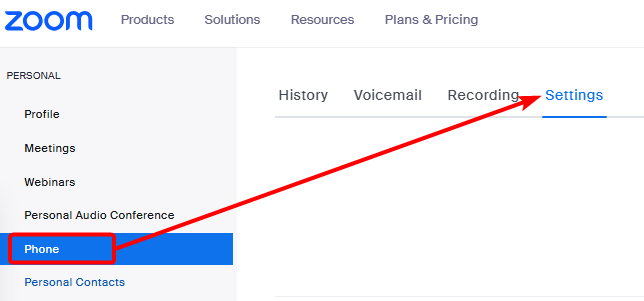
- Click Phone in the left sidebar and then click the Settings tab
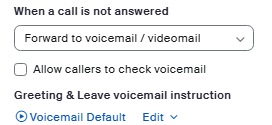
- Locate the Greeting & Leave voicemail instruction option in the Call Handling section. Select the Play button to listen to your current greeting,or Edit to change the voicemail greeting
- After selecting Edit, you will have several options:
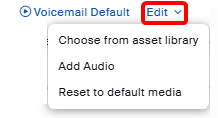
- Choose from asset library- this option allows you to select a previously-created voicemail greeting
- Add audio- this option allows you to create a new voicemail greeting, through Text-to-Speech, uploading an audio file, or recording a new greeting directly from your device.
- Reset to default media - resets to the default Zoom voicemail greeting (NOT RECOMMENDED)
- To create a new voicemail greeting, select Add Audio.
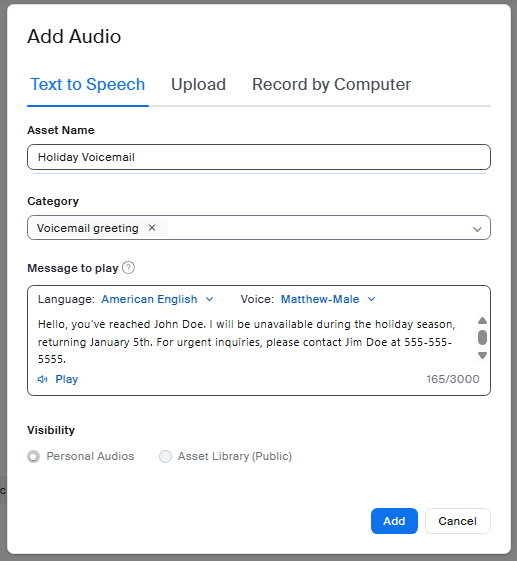
- You have several options to create your voicemail greeting from the Add Audio section, outlined below. For each, please enter an Asset Name and select the appropriate Category (e.g. Voicemail greeting).
- Text to Speech - type out a message to be played as your voicemail greeting. Select the Play option to preview the recording, and then select Add when satisfied.
- Upload - upload an audio file from your device that was previously saved, for example from a Voice Recorder app.
- Record by Computer - use your device microphone to record a new voicemail greeting.
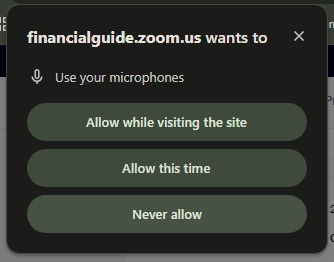
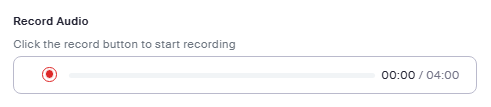 After selecting Record, you may be prompted by your browser to allow microphone. After granting this access, you can speak into your device microphone to record your voicemail.
 After recording, preview the recording to confirm it sounds as intended. Select Add.
- Text to Speech - type out a message to be played as your voicemail greeting. Select the Play option to preview the recording, and then select Add when satisfied.
- The newly selected audio greeting will automatically be selected. Repeat the process if you'd like to change your voicemail greeting or create a new one fora different scenario.
Was this article helpful?
That’s Great!
Thank you for your feedback
Sorry! We couldn't be helpful
Thank you for your feedback
Feedback sent
We appreciate your effort and will try to fix the article