There may be situations where forgetting a saved wi-fi network is needed, such as:
- To ensure the correct credentials are used when connecting to the agency network (CWAGYFIELD2) after changing your Okta password
- If you are having issues connecting to the agency or guest networks (CWAGYFIELD2 & CWAGYGUEST2), we recommend forgetting the network as a first step.
The steps to do this will vary depending on your device operating system:
Windows 10:
1. Left click on the network icon in the bottom right corner (by the time and date) so that the list of networks appears.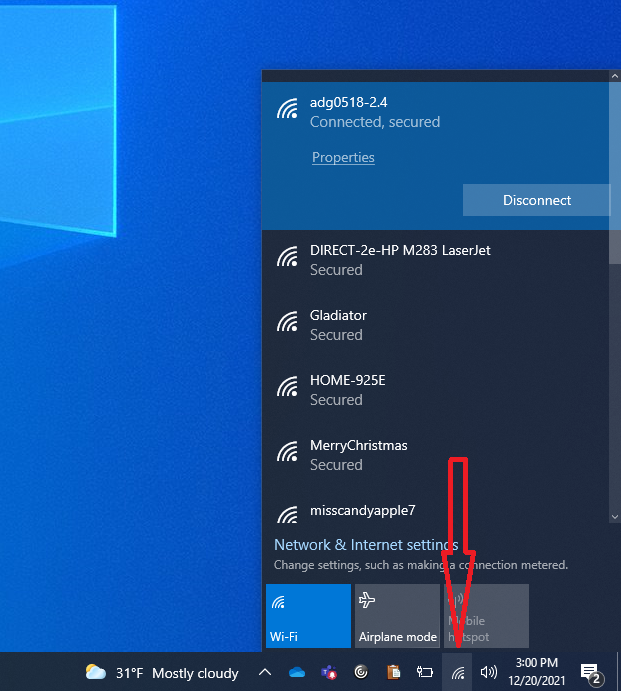
2. If the network you wish to forget is listed you can right click then forget it from there, otherwise, click on Network and Internet settings.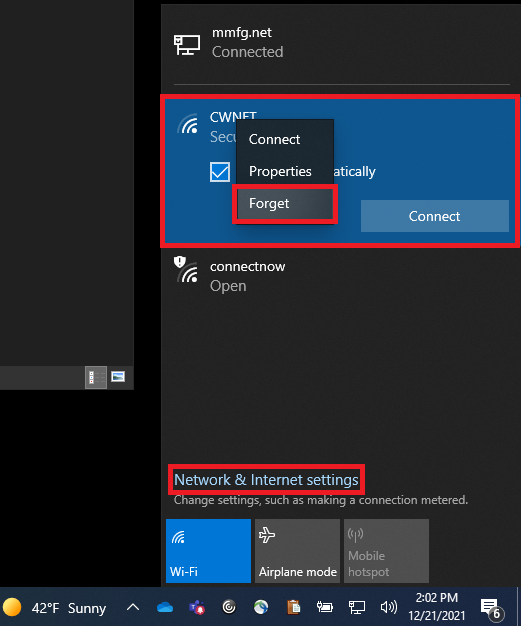
3. On the new window that opened click on Wi-Fi on the left side then manage known networks in the center portion of the page.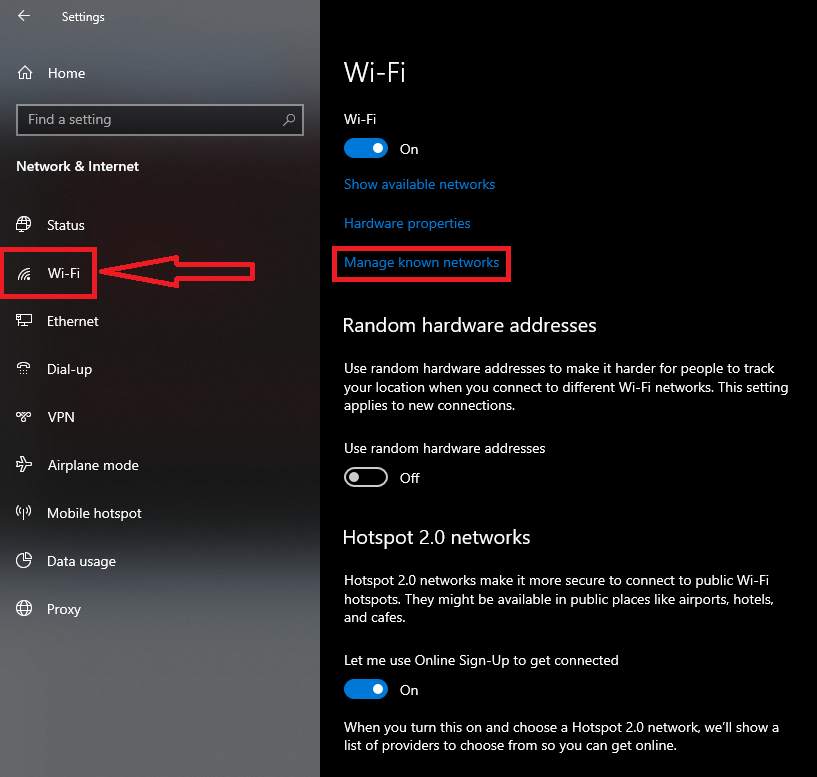
4. Look for the respective network then click on it and you can forget the network from there. 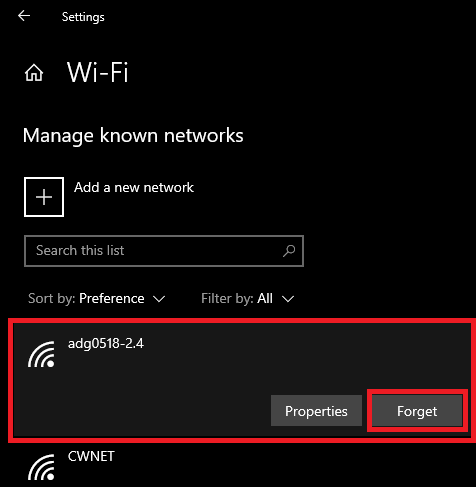
MacOS:
1. Click the Wi-Fi icon in your Mac’s menu bar. 
2. Select Network Preferences.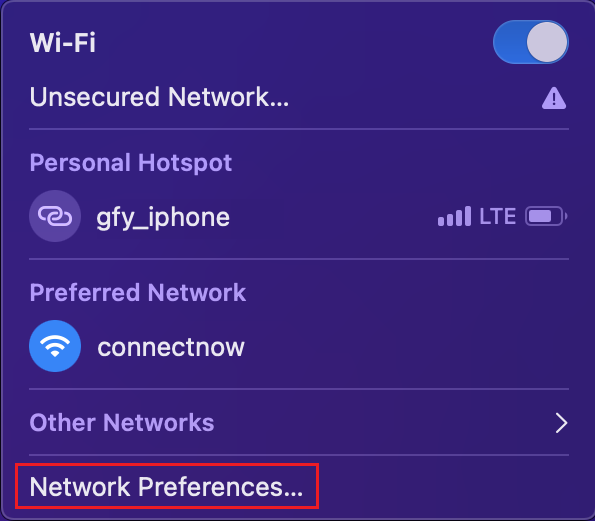
3. In the window that opened, click on Advanced.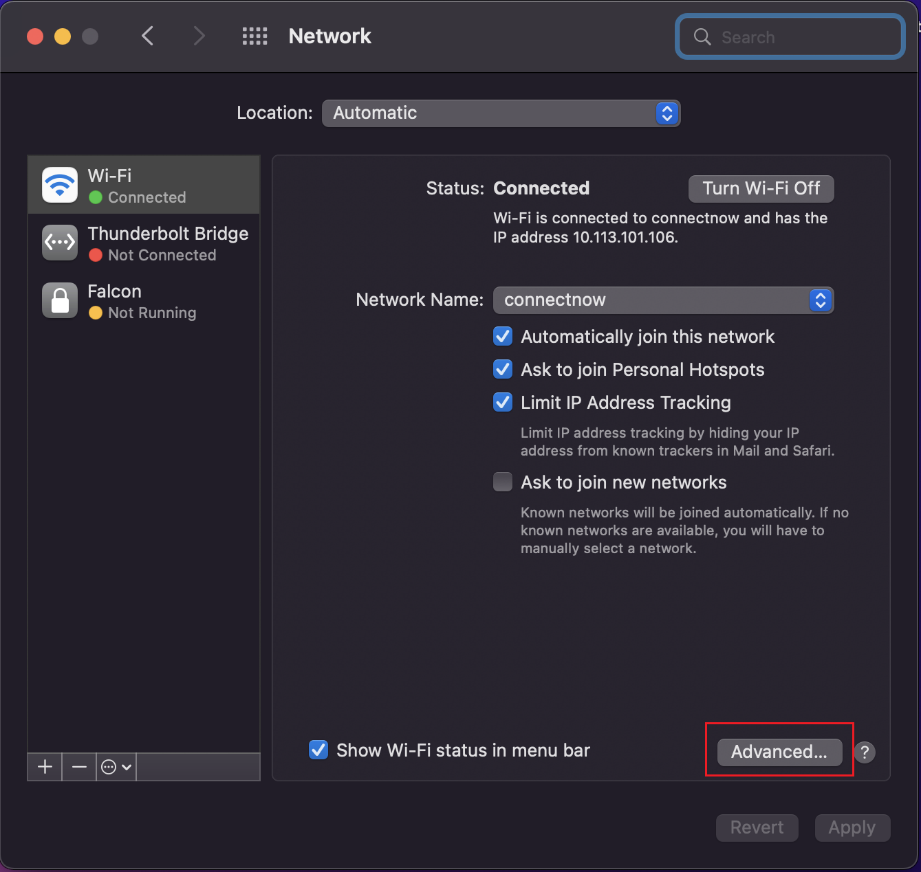
4. Under the Wi-Fi tab, scroll through and select the network you want your Mac to forget, then click the minus (-) sign.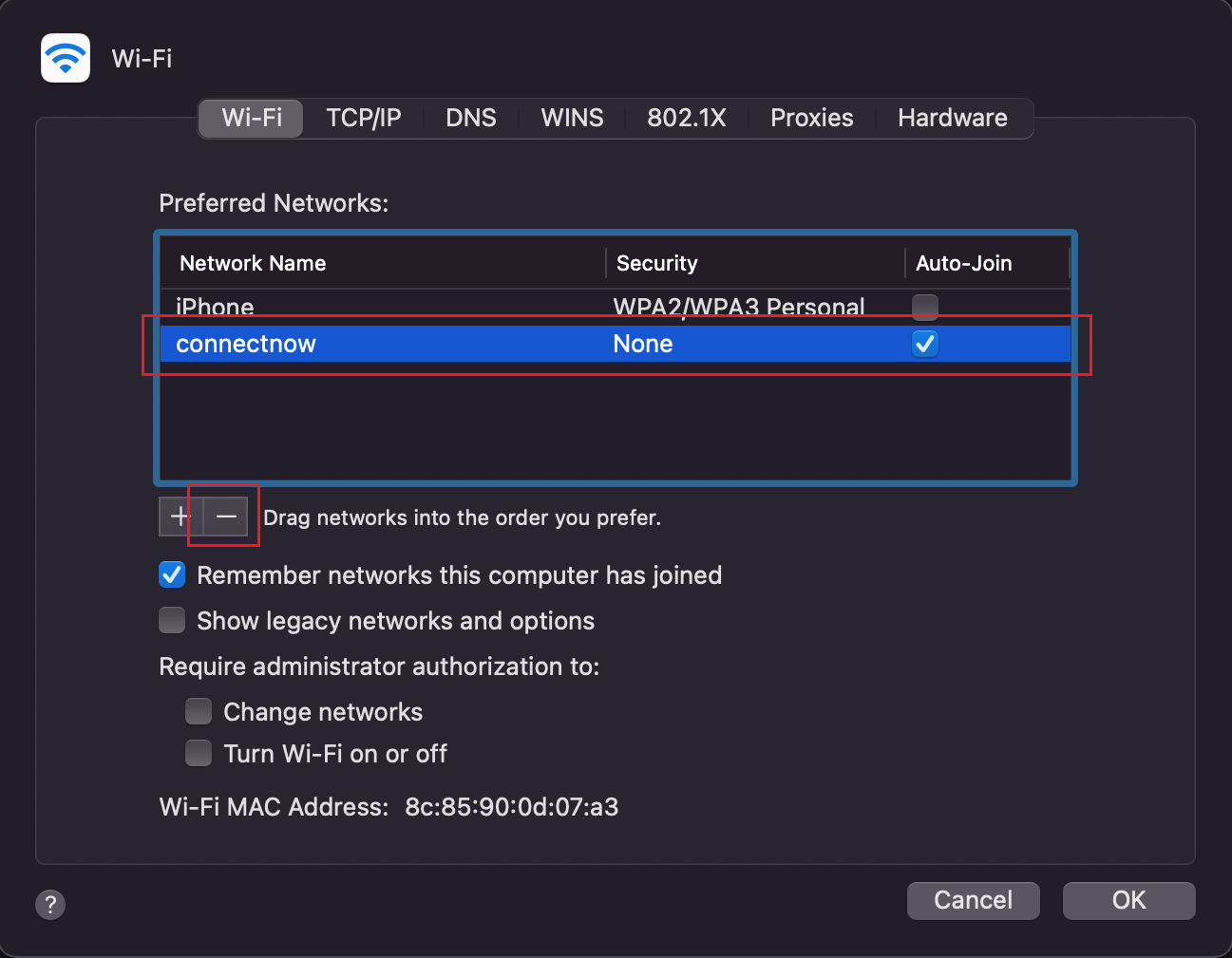
5. Click Remove on the prompt that appears. 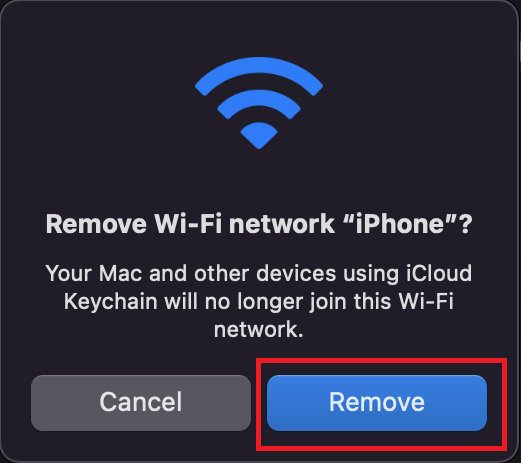
6. Click OK and then Apply on the remaining windows.
iOS (iPhone/iPad):
1. Open the settings app and open Wi-Fi (should be near the top).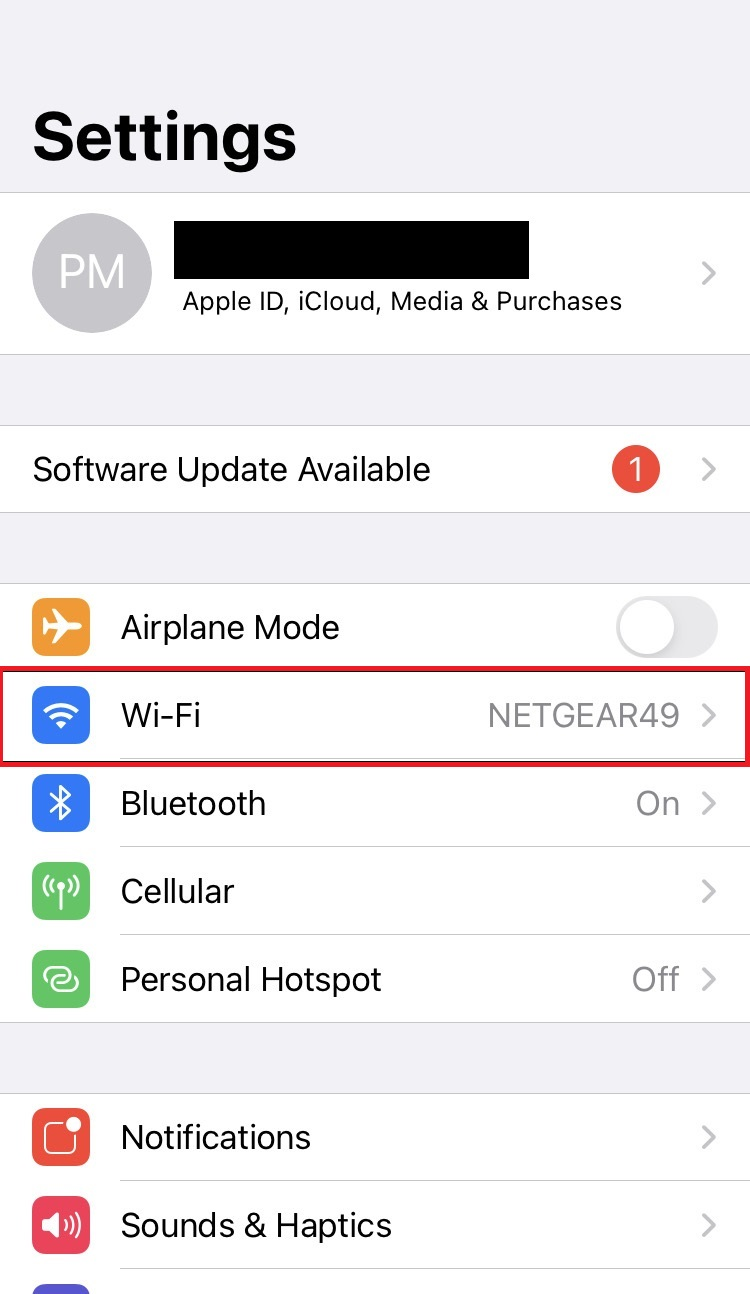
2. Locate the network you wish to forget then tap on it.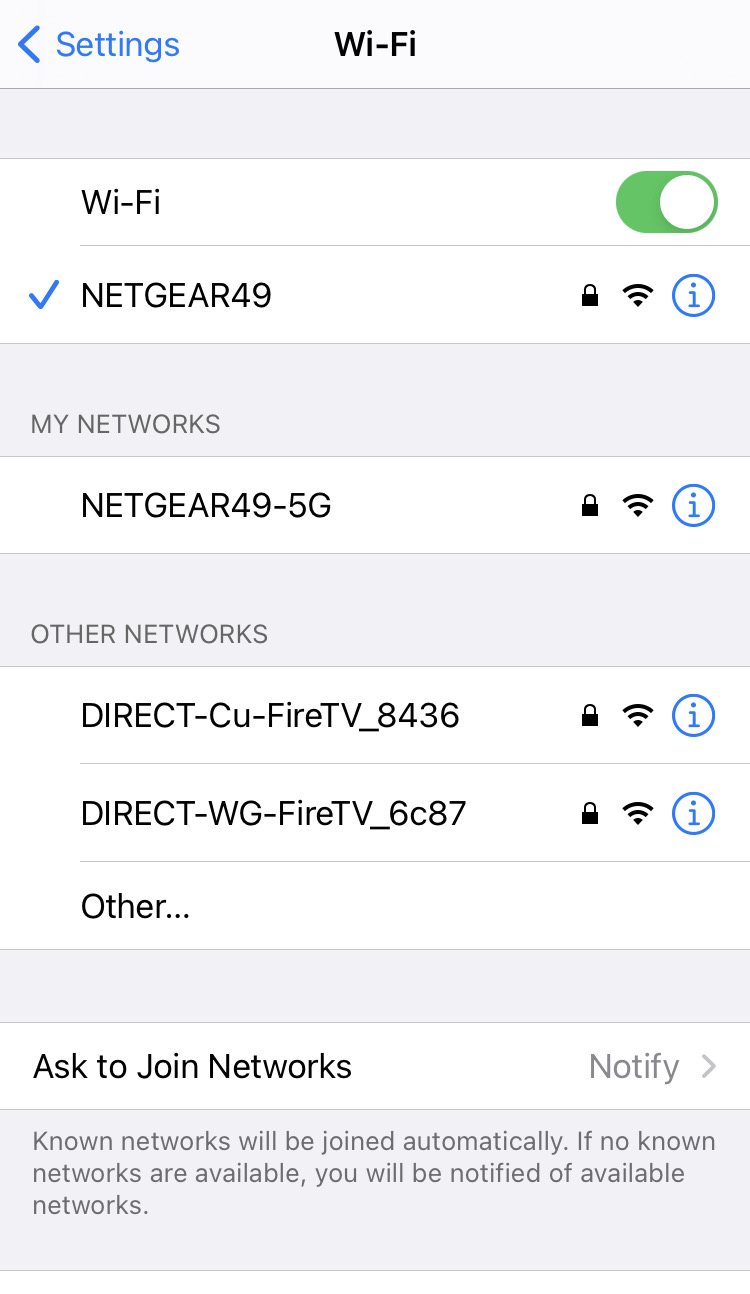
3. Select forget this network.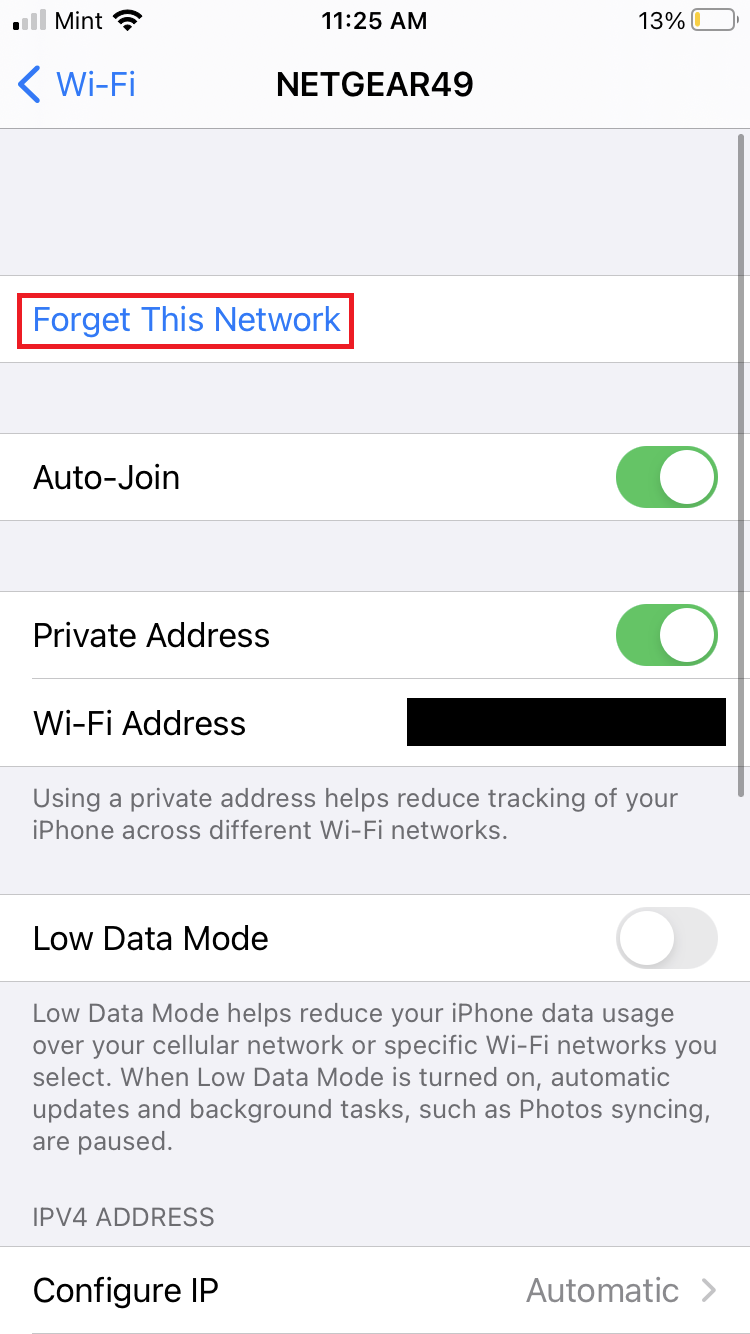
Android:
Some Androids may vary in terminology used as well as layout of the menus but these steps should cover most up to date Android phones/tablets. *Screenshots below were taken on a Google Pixel 6 Pro*
1. Open the settings app and look for the network section/option.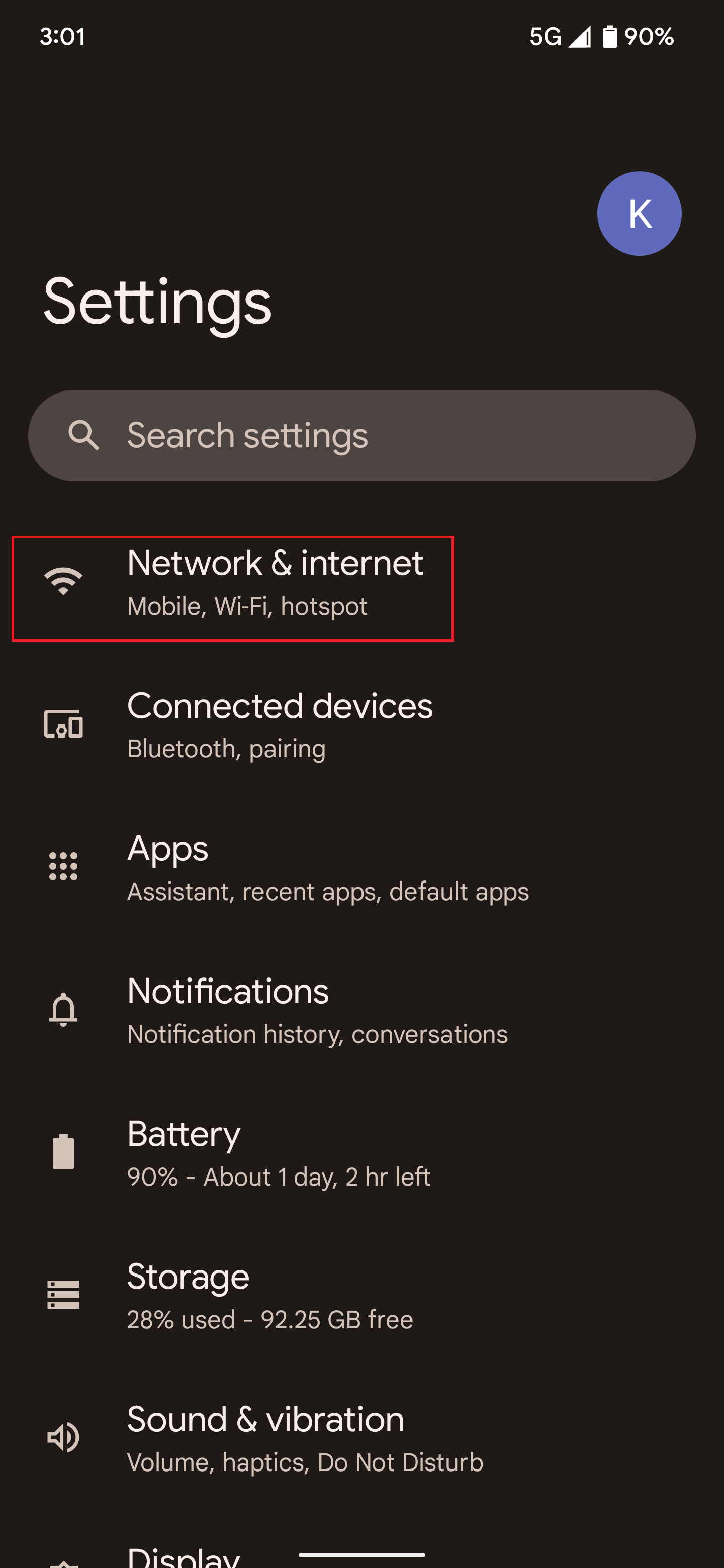
2. Look for and tap the wifi/internet option.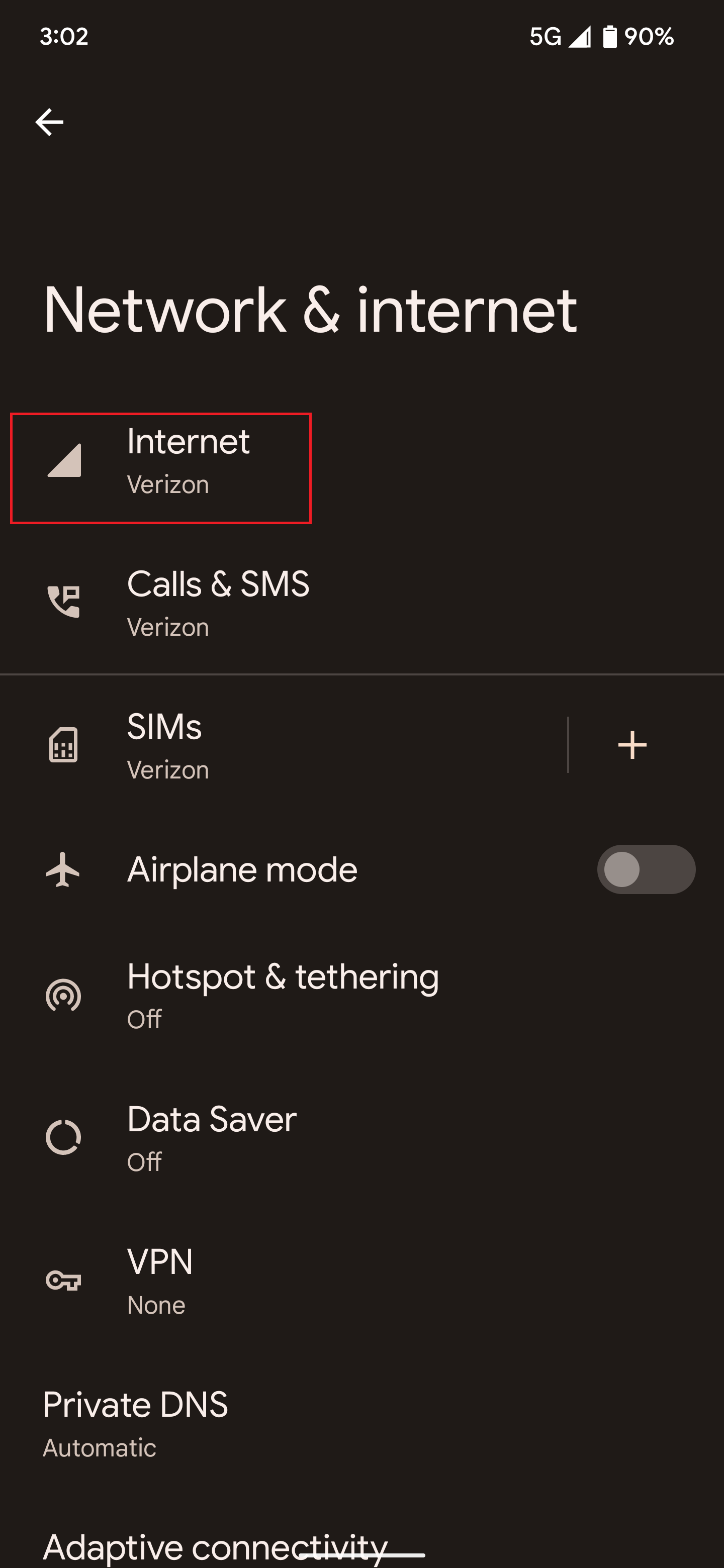
3. Tap saved/known networks.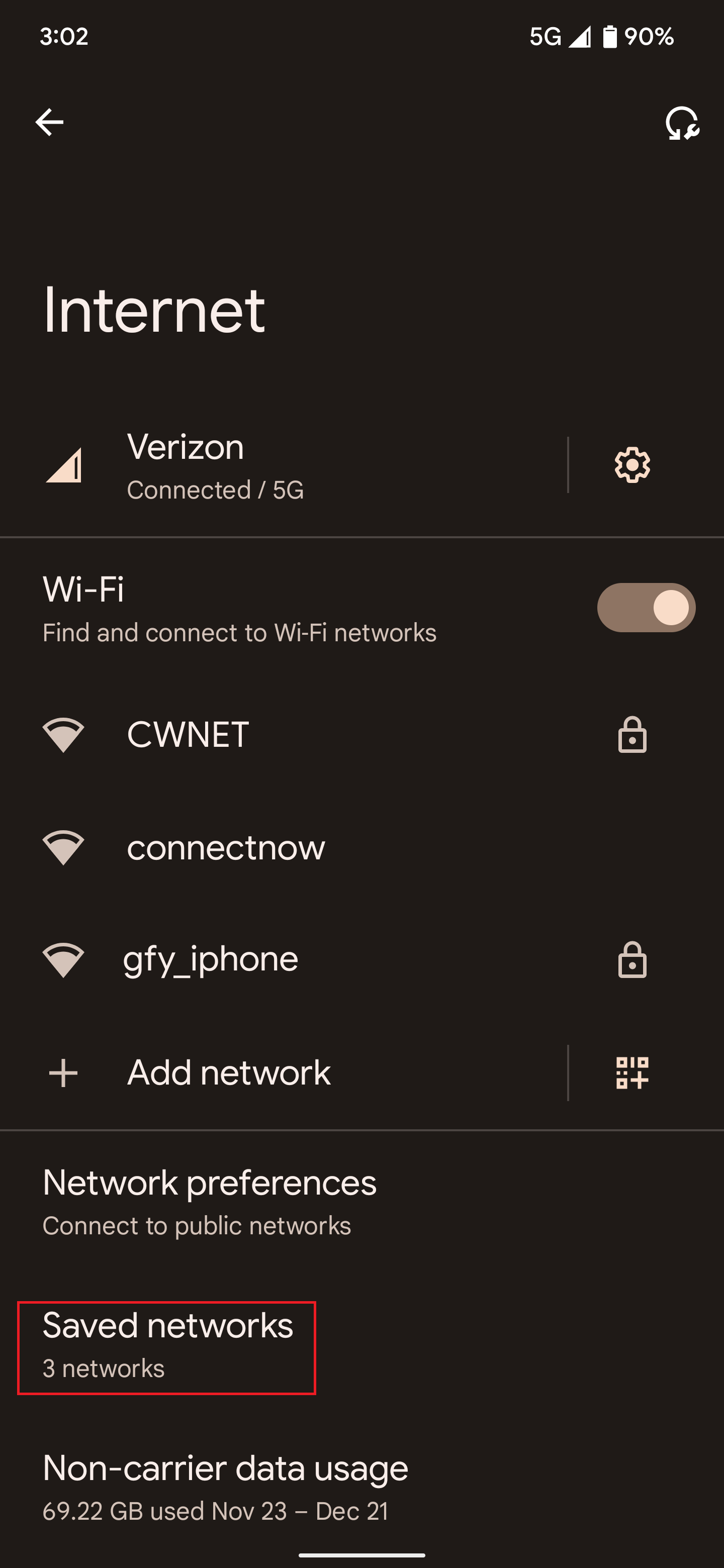
4. Select your respective network and then tap forget/delete.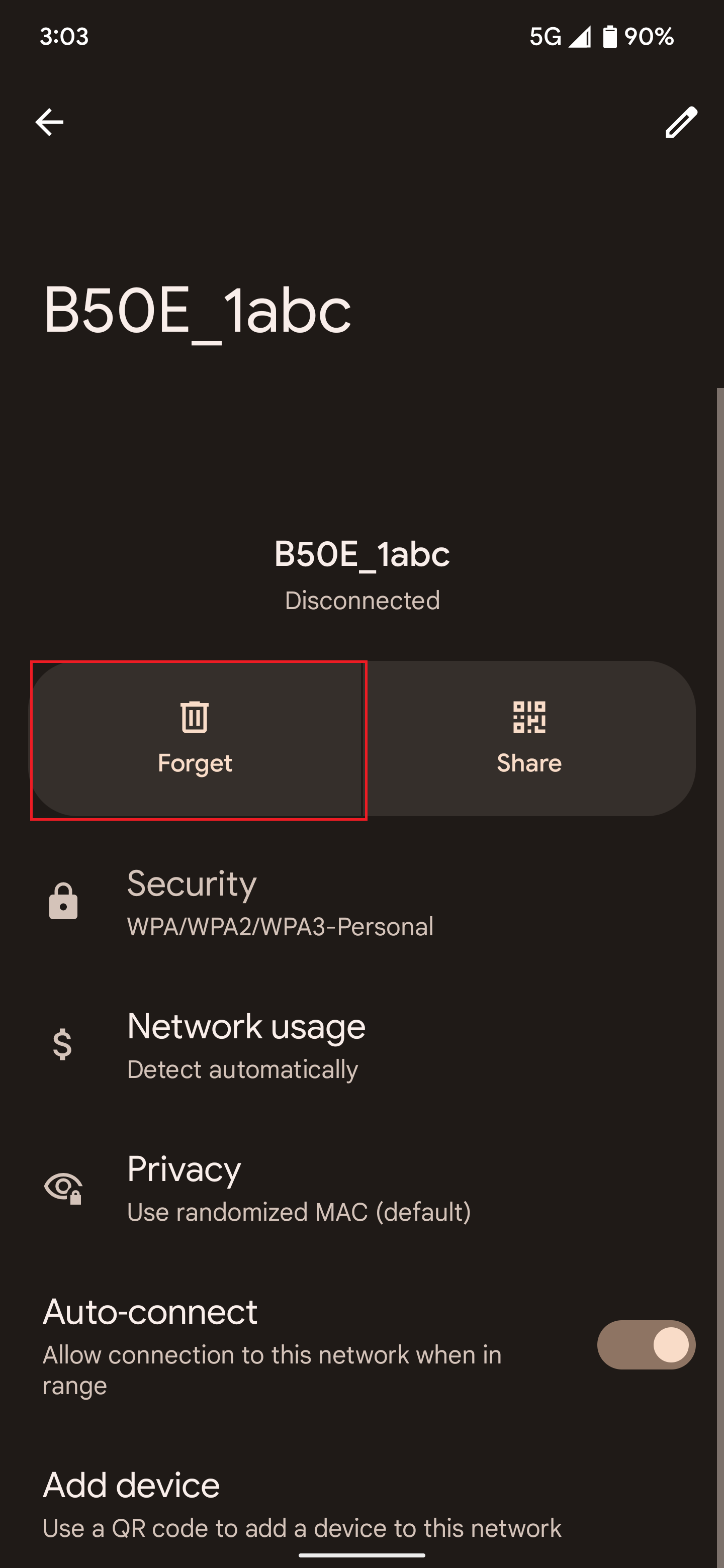
Source: MAX KB0186405
Was this article helpful?
That’s Great!
Thank you for your feedback
Sorry! We couldn't be helpful
Thank you for your feedback
Feedback sent
We appreciate your effort and will try to fix the article