Did you know that you can update your contact information that appears in the Outlook address book directly from Compass?
To update:
- Click this link to access the Compass Communication Directory Landing Page
- Click "Launch"
- Select "Edit My Profile"
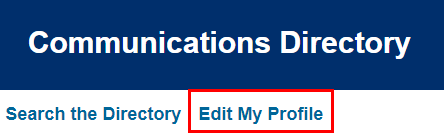
- Edit the appropriate fields (see important notes below for)
- When finished, select Save Profile and click OK.
Changes made will reflect in your Outlook profile shortly after.
Please note:
- The size limit on the uploaded professional photo (headshot) is 3MB. See this job aid for more information.
- The Mobile Phone field is locked and will reflect your Global Relay compliant texting number.
Was this article helpful?
That’s Great!
Thank you for your feedback
Sorry! We couldn't be helpful
Thank you for your feedback
Feedback sent
We appreciate your effort and will try to fix the article