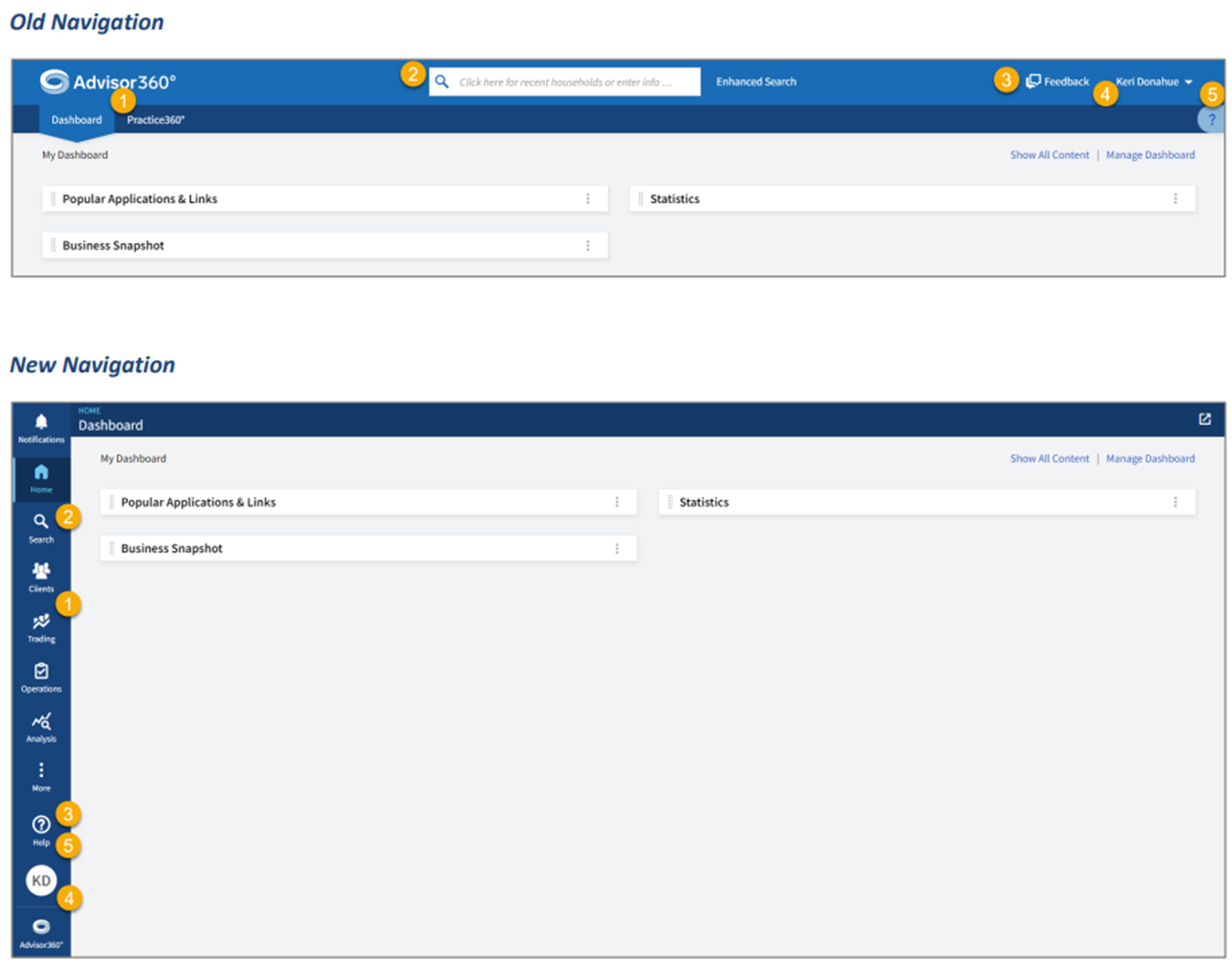
The Advisor360° Portal (including the Advisor360° Dashboard, Practice360°, and Client360°) is being updated to a new
navigation structure, aimed at increasing efficiency and productivity by making the navigation consistent and more
intuitive across all pages. The new platform layout will introduce:
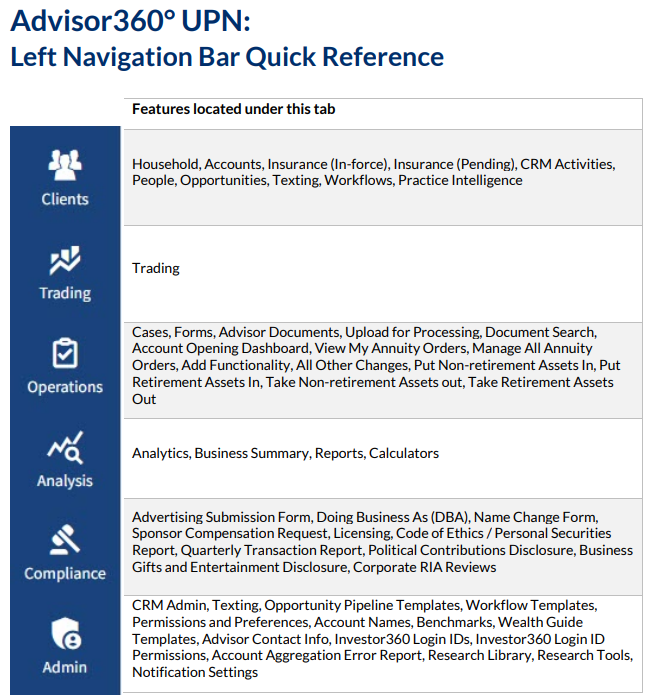
- A left navigation bar which will have different categories housing all Practice360° applications and also provide a household view in Client360°.
- A notifications bell icon and a new Notifications Center that replaces the existing Alerts functionality.
- A shortcuts section inside the "Home" tab which can be personalized by each user to provide quick access to applications/pages they want to access within the Advisor360° platform and outside applications.
- A central location for help in the left nav, which allows users to access help from everywhere in the platform.
These changes will be launched the evening of March 13, 2025. Please see below for additional resources:
Advisor360° Unified Platform Navigation Preview (Video, 00:01:46) - A brief tour of Advisor360°’s new interface, which will be available to all advisors in Spring 2025. Learn how to navigate, use search, and access key information.
Advisor360° Unified Platform Navigation: What's Changing? (PDF) - This "delta doc" details the differences between Advisor360°'s current interface and the new Unified Platform Navigation (UPN).
Advisor360° Unified Platform Navigation In-Depth Guided Tour (Video, 00:45:55) - replay of the national introductory call and UPN demo from 2/18/25. This tour of Advisor360°’s new interface, Unified Platform Navigation (UPN), takes you through the visual and navigation changes, as well as new features like Client Opportunities, Notifications, and Advanced Filtering.
Was this article helpful?
That’s Great!
Thank you for your feedback
Sorry! We couldn't be helpful
Thank you for your feedback
Feedback sent
We appreciate your effort and will try to fix the article